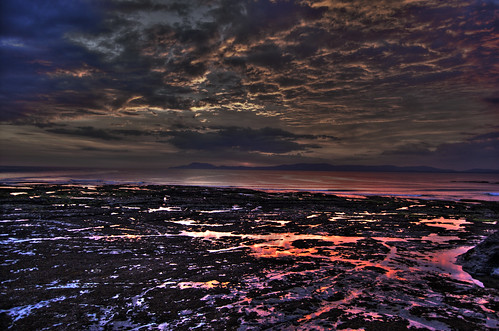
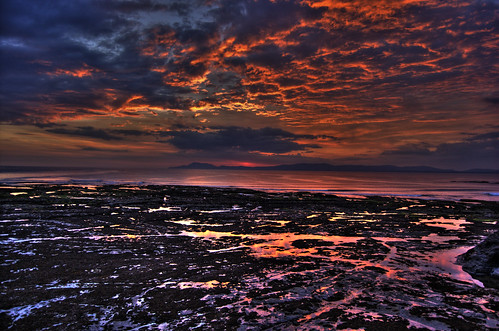
So last time, I posted about
HDR and that I wanted to try it on some pictures of mine. And during my recent trip to the
West Coast, I took some RAW pictures.
I own a Nikon D40 DSLR and am using Photoshop CS2. But there seems to be some issues with the plugins used in Photoshop CS2 not being able to read the NEF (Nikon's RAW file format).
There is lot of discussion on forums n on flickr about it and after searching in the forums here is the simplest solution (there are all sort of issues being raised in forums about it, uninstalling nikon softwares, re-installing CS2, for some it just works, for some it doesn't etc etc)
The problem lies in the
Camera Raw plugin for Photoshop. But the currently avaliable version of Camera Raw i.e. 4.4.1 (supoprts D40) but doesn't support Photoshop CS2, min. requirement is Photoshop CS3. Great, its not that I am using version 6 or 7 of Photoshop, I have CS2, what now. I tried looking for older version of it, again surprisingly Adobe doesn't have any link on current version page to older versions.
Version 3.7 of Camera RAW is right version for Photoshop CS2. But after trying numerous times, I couldn't download the file from Adobe website, the link just doesn't work. Bit shite on Adobe part that it so complicated for such known problem and finding the correct version of Camera RAW. Everyone doesn't have the latest CS3 and why, no backward compatibilty.
Finally, I found version 3.7
here. Download the one for CS2. After downloading the file, go to
C:\Program Files\Common Files\Adobe\Plug-Ins\CS2
and replace the older version of Camera Raw plugin with the 3.7 version you just downloaded (oh if the link above doesn't work, send me a message n I'll email the right version to you). Back up the version before replacing it with new one, just in case it doesn't work.
And finally, Photoshop is able to read the NEF files, so I'll post some HDR processed shots over the weekend.
Why can't we make softwares which just work, didn't expected that from Photoshop (thou mebbe its just novices like myself, who get stuck with it).